Download Listings
This button is for you to download listings everyday. Below is
the step you have to follow.
a) If you are using a dial up modem, kindly connect to internet first.
b) Click ‘Download Listings’, you can see the date you have last download
and the date to
continue download.
c) Click ‘Download Files Form Internet’. ‘Download data’ program will
pop out.
d) Click ‘Select Proxy’. You have to select the correct proxy your
internet service provider using like ‘singnet’, ‘pacific internet’
or ‘starhub’. There will be no proxy if you are using SCV/ Magix/
Boardband or Leased line.
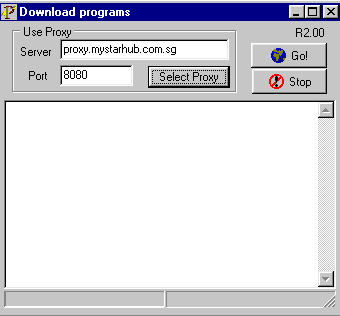
e) Click ‘Go!’ to download file from internet. After finish downloading
the files from internet a message ‘Finish’ will appear. Just click ‘OK’.
You can now exit and disconnect your modem.
f) Wait for the files to download into the local database.
[Back]